Within the Referral Requests tab, you can view all your Unprocessed, Referred, and Rejected requests. You can also filter results by: name, date, scheme, venue, referring organisation.
How to Delete Rejected Referrals
First, head over to the Referral Requests tab and select Rejected at the top of the page. Now you can apply any filters you require and click Search.
Deleted referrals cannot be recovered - this action is permanent.
Here’s how this looks on your system:
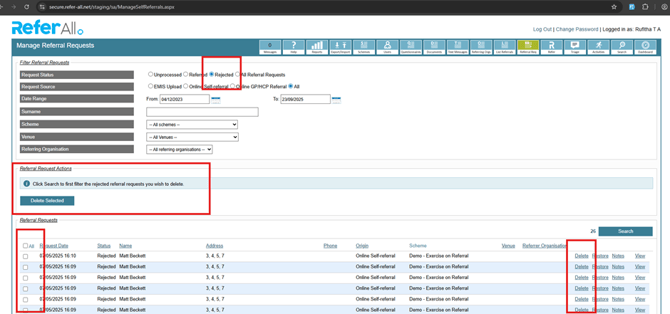
To the right of each referral request, you have a Delete button, which enables you to delete an individual referral request.
To the left, the tick boxes allow you to select multiple or All. Once you have selected the records you wish to delete, hit Delete Selected.
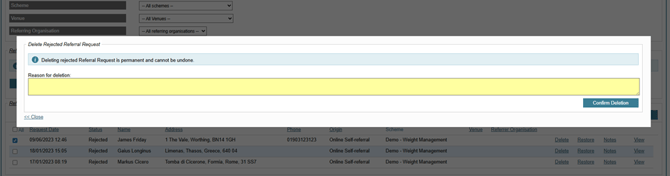
Before completing deletion, you must provide a reason, which is then logged in the system for your records.