What's new?
New Bulk Action: Change session owner.
Applies to: Super Scheme Administrator role (SSA)
Why does it matter?
Enabling SSAs to update session owners in bulk saves a huge amount of time, particularly when staff members leave or change roles, as SSAs can now update all their sessions to a new owner in one go, either in the Users tab when deactivating an account or in the session register.
How it works
There are two ways to bulk transfer sessions to a new owner. Firstly, when editing or deactivating an account in the Users tab, the SSA will now see the option to Reassign sessions to another owner. This will assign all future sessions to the new owner.
When deactivating a user:

When editing a user:

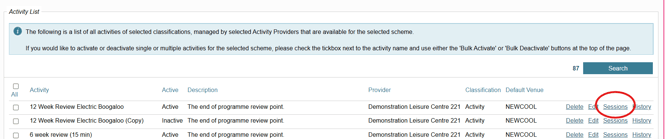
Sessions can also be reassigned in bulk from the Activities tab. First, open Manage Activities, then find your scheme and hit search. Next, scroll down to your Activity List then select the Sessions button next to your activity:
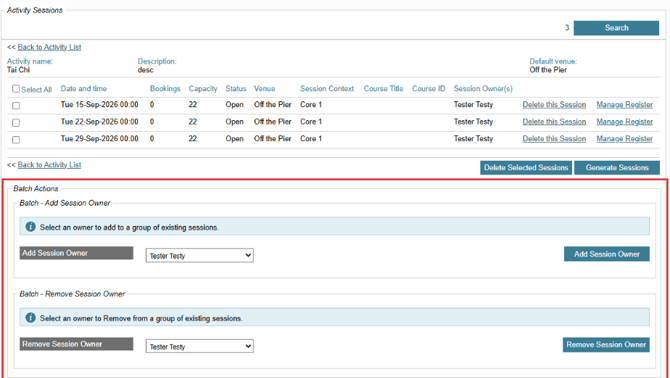
Here, you can choose which sessions you want to update then navigate to the bottom of the page to find your available Batch Actions: