
Viewing Activity Session Notes
To see the notes from each activity session, follow these steps:
-
Access the Referral Record:
- Navigate to the referral record for the patient you are interested in.
-
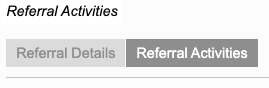
Select the 'Referral Activities' Tab:
- Click on the 'Referral Activities' tab located at the top-left of the referral record.
-
View the Activity Diary:
- At the bottom of the 'Referral Activities' page, select the 'Activity Diary' section. This section will display all activities associated with the patient.

- At the bottom of the 'Referral Activities' page, select the 'Activity Diary' section. This section will display all activities associated with the patient.
-
Click View:
- For each activity entry click View.
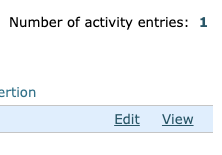
- User comments will display in the pop-out box.
- For each activity entry click View.
By following these steps, service providers can efficiently view notes from each activity session, ensuring they have access to all relevant historical information before conducting new sessions. If you have further questions or need additional assistance, please reach out for support.