1. CoachBot
CoachBot is our new chatbot software designed to help people improve performance, habits, or skills through conversations direct with referrals.
How does it work?
The scheme admin sends a link to the referral to engage with the CoachBot.
When the link is sent to the referral, ReferAll append a GUID to the end of the message and organisations simply send the link.
When the referral engages with the Bot and a conversation happens this is stored within Virtual Health Labs and then sent back to ReferAll if they see that a GUID has been appended.
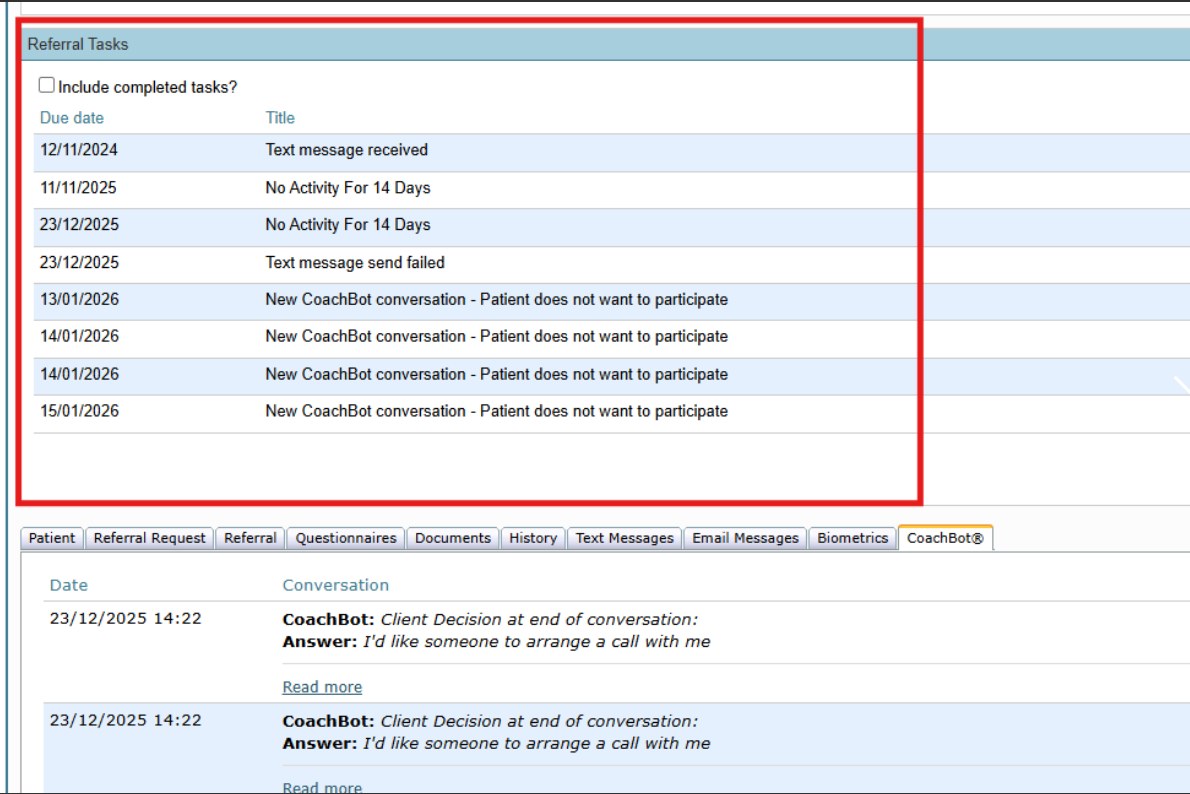
ReferAll receive the conversation and use the GUID to associate the conversation with the correct referral. As part of that process ReferAll also raise a task for scheme admins so they can see that a conversation has been received. During the conversation a referral may elect to not engage with the service. When this happens, ReferAll receive a corresponding code that allows us to suggest that the referral may not want to participate so they can set them to NP.
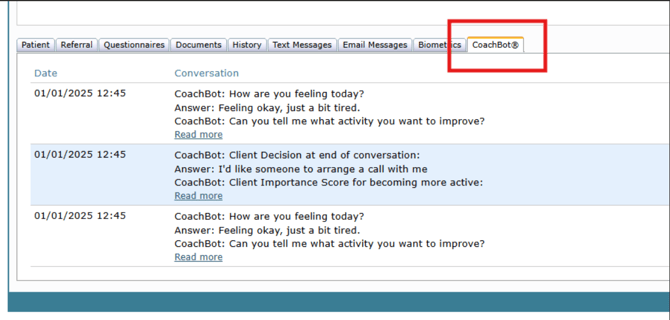
In the referral record, navigate to the CoachBot® tab a list shows the relevant conversations with an option to "Read more".
For more information and a quote, please reach out to sales@refer-all.net
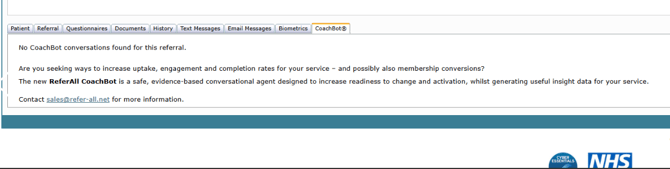
If a customer doesn't have CoachBot enabled
Note: When a CoachBot conversation is added, a task is created on the Dashboard. If the patient chooses not to participate, this is clearly indicated in the task message.
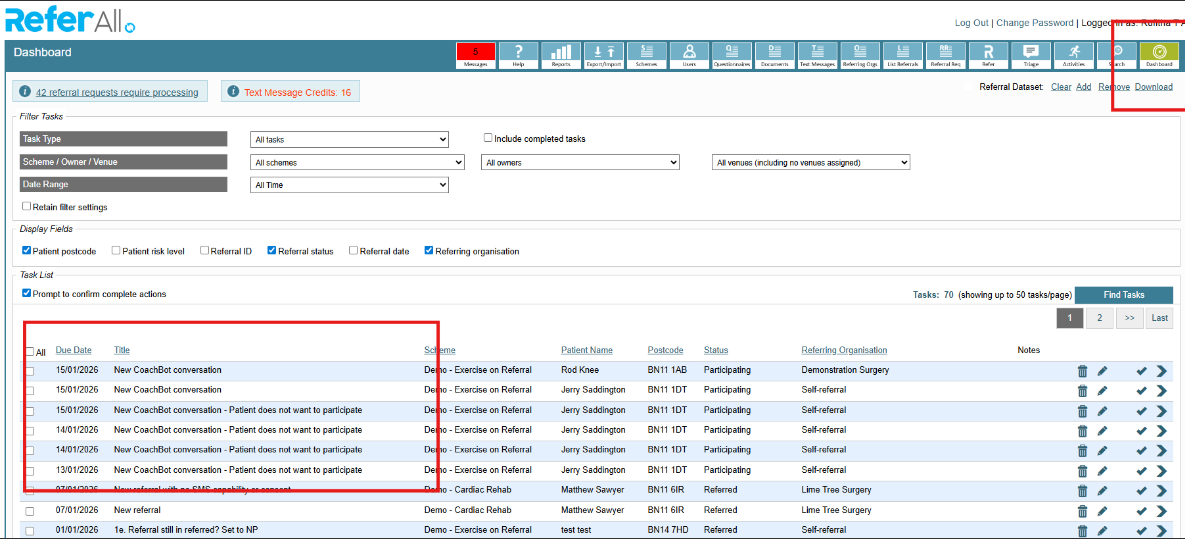
also the same task messages are displayed on the Manage Referral page for that referral.
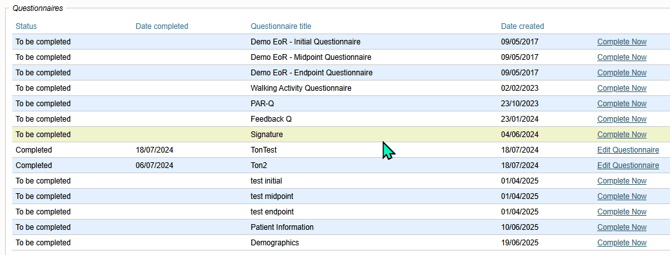
2. Questionnaire Date Created
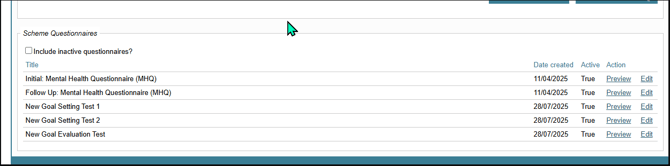
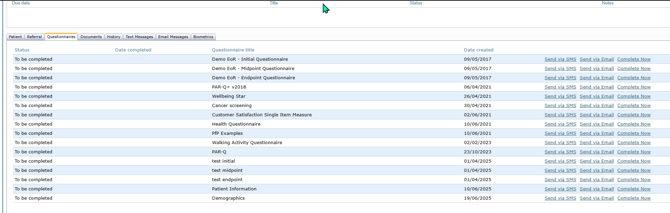
We’ve introduced a new feature that displays the questionnaire creation date, supporting smoother questionnaire management and clearer decision-making when working with multiple versions.
This enhancement helps users track when questionnaires were originally created, compare and transition between old and new questionnaires more confidently, and improve visibility of questionnaire history and changes.
The Questionnaire Date Created will be visible in multiple areas of the system, including Edit Scheme page:
Manage Referral page:
Manage Session Register page: